
MyRunway - Redesign
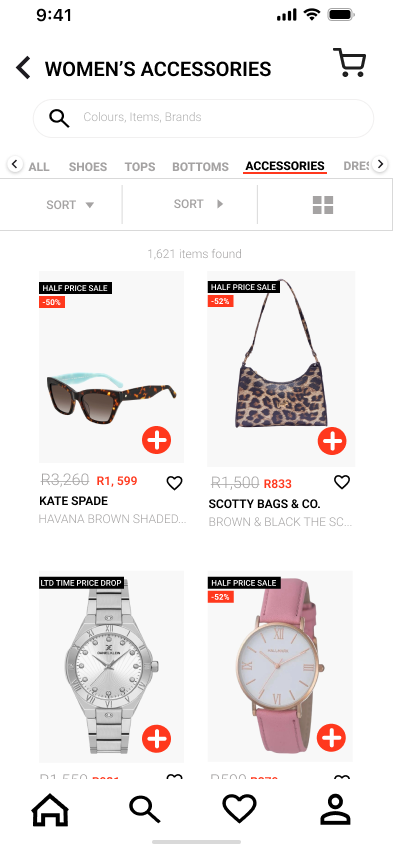
My Runway is a mobile e-commerce fashion app that we chose to redesigned to improve overall user experience, navigation, and visual clarity. The redesign focused on creating a more intuitive, inclusive, and contemporary shopping experience aligned with modern online retail expectations.
Role
Lead Designer
Overview
The updated interface introduces a stronger first impression through a dedicated welcome screen, improved user flow for new and returning users, and more ergonomic navigation patterns tailored for mobile use. The redesign balances brand expression with usability, ensuring users can browse, shop, and manage their carts with ease
Problem
- Users were taken directly to the home page with no onboarding, which felt abrupt and confusing for first-time users.
- Navigation placement did not fully support one-handed mobile use.
- Certain sections, such as daily discounts, excluded key user groups and limited inclusivity.
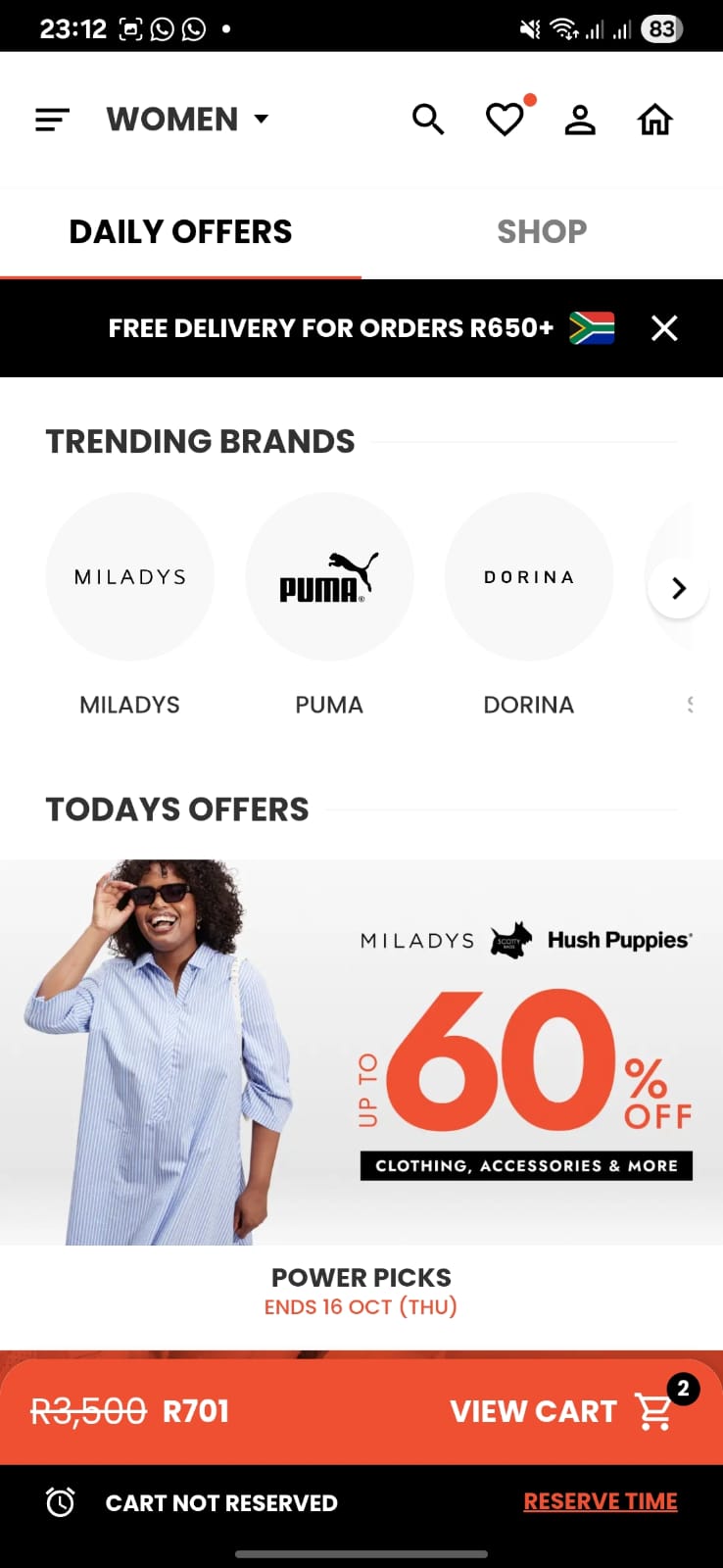
- Some interface elements felt cluttered or unintentionally disruptive, such as the logout button placement and floating overlay controls.
Research
Users prefer an optional sign-in experience before committing to account creation. Mobile shoppers value thumb-friendly navigation, especially for one-handed use. Clear categorisation and quick access to departments improve product discovery. Familiar e-commerce conventions (such as cart placement) increase trust and ease of use. Users respond positively to inclusive design, where all categories receive equal visibility.
Design Decisions & Improvements
- Introduced a welcome screen with a strong hero image, sign-up, login, and “Browse as Guest” options to improve onboarding and brand trust.
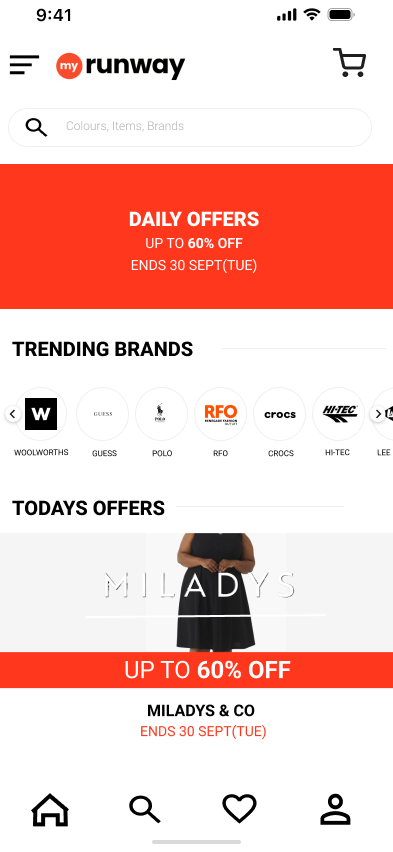
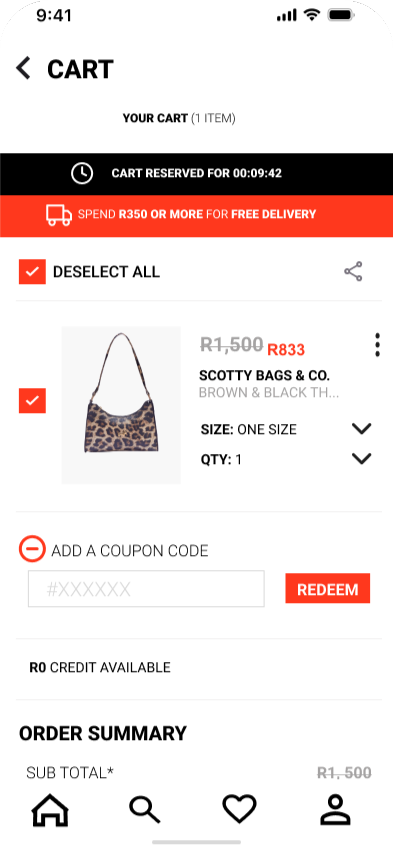
- Repositioned the navigation bar to the bottom of the screen for better thumb reachability.
- Moved the basket icon to the top-right, aligning with established e-commerce patterns.
- Expanded daily discounts to include Men's, Women's, and Children's categories to promote inclusivity.
- Added a “Shop by Section” feature with clear labels and icons for faster discovery.
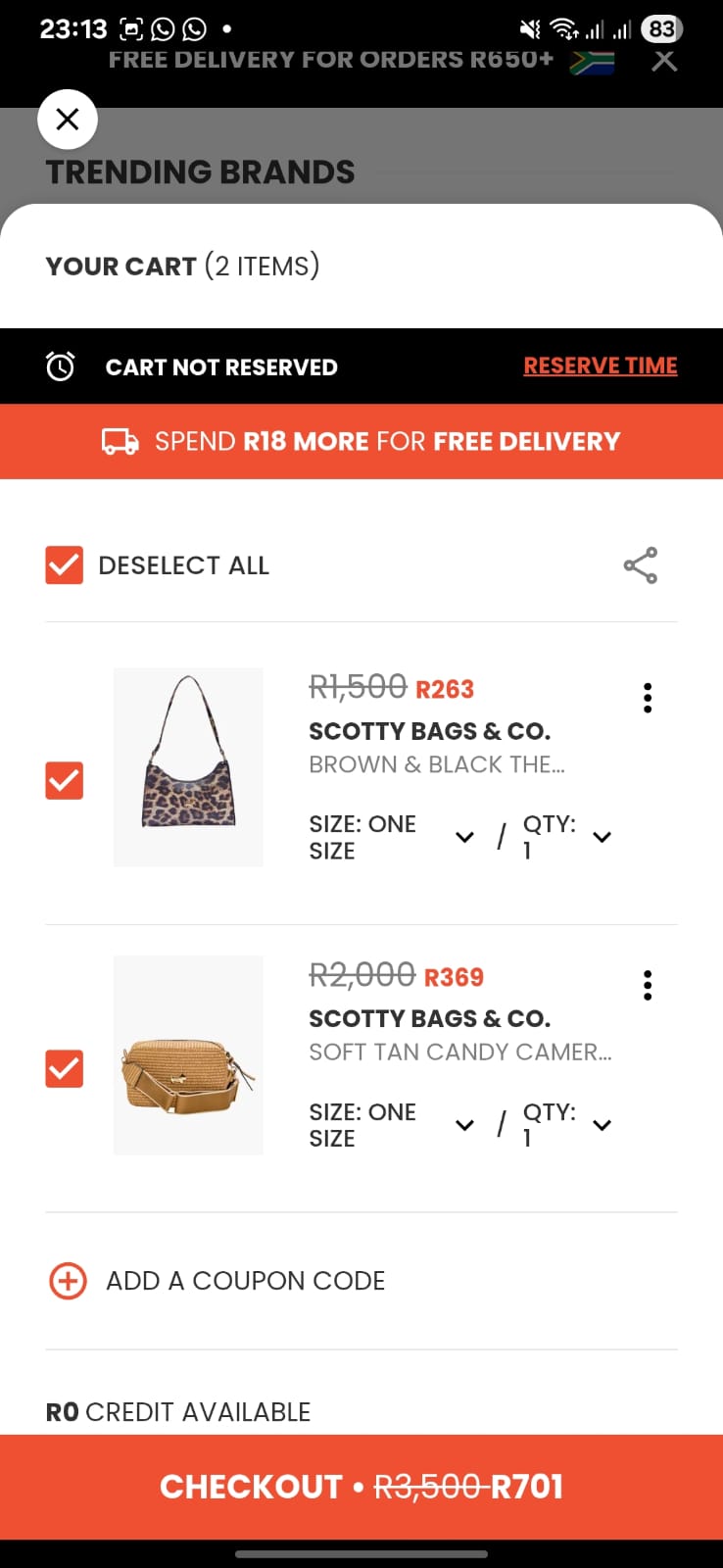
- Improved cart layout by placing the quantity selector below size selection, enhancing hierarchy and readability.
- Repositioned overlay exit buttons to expected locations and added swipe-to-delete interactions in the wishlist.
- Moved the Logout option from the main navigation to the profile section to prevent accidental disruption.
Redesign Mockups
Lessons Learned
- Small interface decisions, such as button placement, navigation location, and content hierarchy.
- Using Figma's live collaboration tools, version history, and feedback features allowed the team to work efficiently and make evidence-based design decisions.
- The redesign highlighted how thoughtful UX decisions that are grounded in research and collaboration are and how they can transform a functional interface into a seamless and engaging user experience.